Sequence: AI Video Editing with MCP
A video editor that turns natural-language requests into timeline edits through LLM agents and MCP, with visual feedback and human review.
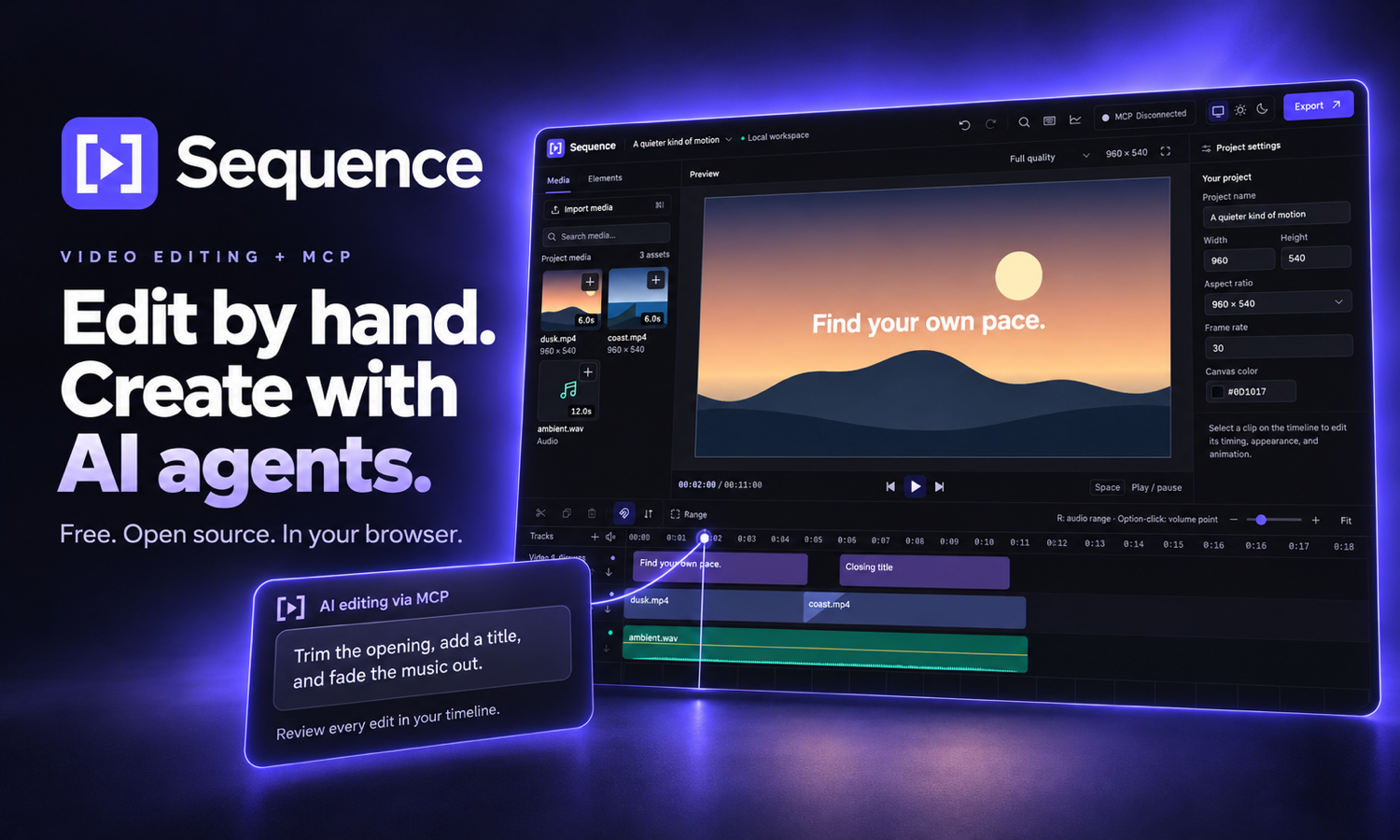
Sequence demonstrates applied AI engineering: connecting LLM agents to a stateful video editor so natural-language instructions can become concrete, reviewable edits. I built a local Model Context Protocol (MCP) server that lets Claude Code, Codex, Cursor, and other compatible agents inspect a project, manipulate its timeline, and request rendered frames for visual feedback.
From natural language to editing actions
The integration gives an agent structured tools for project inspection, media management, timeline edits, previews, and export. The LLM interprets the user's intent and chooses tool calls; the editor executes those operations against the actual project state.
Trim the opening, add a title, and fade the music out.
For a request like this, an agent can inspect clip timings and track IDs, submit edits to trim footage, insert text, and adjust audio, then request a preview frame to check the composition. This workflow combines language-driven tool use with visual feedback from the browser renderer.
Reliable tool use in a changing workspace
Agent actions need to remain consistent when a person is also editing. Sequence's tool contracts use strict Zod schemas, stable entity IDs, and project revisions to validate operations and reject edits based on stale state. Atomic batches keep related changes together, dry-run validation checks proposed edits before applying them, and idempotency keys prevent retries from applying the same batch twice.
The same typed contracts supply the tool descriptions exposed to agents and the generated MCP reference, keeping the integration and its documentation aligned.
Human review and controlled access
Agent edits appear in the same multitrack timeline used for manual editing. Users can inspect, adjust, or undo the result, retaining control throughout the workflow. Connecting an agent requires browser approval, and local media imports are limited to explicitly permitted paths.
Media processing and rendering stay in the browser. The AI client receives project data and requested preview images, while the local MCP companion bridges the agent and the editor.
Applied AI in a working product
Sequence brings together LLM integration, structured tool design, visual feedback, and human review in a complete editing application. The browser editor provides the execution environment for agent actions, including video, audio, titles, transitions, and export. It is free and open source under AGPL-3.0-only.